Accessing data through APIs
Learning Goals
After completing this lesson you will be able to
- define what an API is
- describe the difference between human-readable and machine-readable data structures
- understand the relationship between using APIs and reproducible data pipelines
- know several examples of APIs that provide data from official sources
- understand what an API request does
Background
Up to this point, we have been downloading data from a website and you have been reading the data manually into Python. This works but is not very efficient and does not explicitly link your data and your analysis.
It is better to automate this process using Python. Automation is particularly useful when (CU Boulder, 2020):
- You want to download lots of data or particular subsets of data to support an analysis.
- There are programmatic ways to access and query the data online.
Link Data Access to Processing & Analysis
When you automate data access, download, or retrieval, and embed it in your code, you are directly linking your analysis to your data. Further, combined with Jupyter Notebooks, code comments and expressive coding techniques, you are better documenting your workflow.
In short - by linking data access and download to your analysis - you are not only reminding your future selves of your process - you are also reminding your future self where (and how) you got the data in the first place! Similarly, this allows your workflow to be easily reproduced by others.
Two Key Formats
The data that you access programmatically may be returned in one of two main formats:
- Tabular Human-readable file: Files that are tabular, including CSV files (Comma Separated Values) and even spreadsheets (Microsoft Excel, etc.). These files are organized into columns and rows and are “flat” in structure rather than hierarchical.
- Structured Machine-readable files: Files that can be stored in a text format but are hierarchical and structured in some way that optimizes machine readability. JSON files are an example of structured machine-readable files.
What is an API?
An API (Application Programming Interface) is a way for computers to talk to each other through a common set of instructions.
APIs are everywhere and are the thing that makes the web, work. For example, every time an app on your phone is loading data from a server, it uses an API to do so. If you check your bank balance, the banking app, will send a request to the banking server and return a hopefully sufficiently large number.
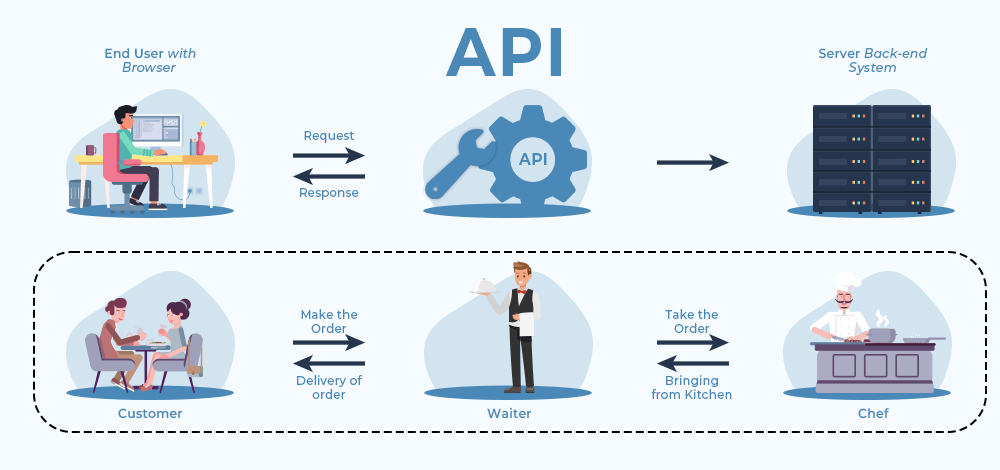
Three Parts of an API Request
When we talk about APIs, it is important to understand two key components: the request and the response. The third part listed below is the intermediate step where the request is PROCESSED by the remote server.
- Data REQUEST: You try to access a URL in your browser that specifies a particular subset of data.
- Data processing: A web server somewhere uses that URL to query a specified dataset.
- Data RESPONSE: That web server then sends you back some content.
The response may give you one of two things: - Some data or - An explanation of why your request failed
Environmental Data APIs
Because manually downloading data is cumbersome and error-prone, most environmental data providers maintain APIs or other automated portals for downloading data.
Examples of Environmental APIs
One example of this is the U.S. Environmental Protection Agency’s Air Quality System (AQS) API:
AQS contains ambient air sample data collected by state, local, tribal, and federal air pollution control agencies from thousands of monitors around the nation. It also contains meteorological data, descriptive information about each monitoring station (including its geographic location and its operator), and information about the quality of the samples. More about AQS. Note, AQS does not contain real-time air quality data (it can take 6 months or more from the time data is collected until it is in AQS).
There are several other publicly available APIs:
- U.S. National Oceanic and Atmospheric Administration (NOAA): Many data products house by NOAA’s National Centers for Environmental Information (NCEI) are available through an API. This includes data from weather stations around the world.
- U.S. Environmental Protection Agency provides several API’s for different data products
- EPA Application Programming Interfaces (Note that some of these have been discontinued without being removed from the website)
- U.S. Geological Survey (USGS): USGS provides a number of different APIs for accessing data products. This includes its Water API, which I used to download the North River data.
- European Center for Medium Range Weather Forecasting (ECMWF): ECMWF is a large provider of climate model data. ERA5 is a flagship dataset that represents our best knowledge of global weather between 1950 and today on a 0.25 by 0.
API Documentation
Ideally, available API services and conditions for use are well documented. There is an example of the online documentation document for the EPA Air Quality API.
Using the AQS API
API requests are sent over the internet by constructing an API call that contains a number of predefined parameters.
The below example shows an API call that will return SO2 monitors at a specific location in Hawaii County, HI.
Example; returns list of SO2 monitors at the Hawaii Volcanoes NP site (#0007) in Hawaii County, HI that were operating on May 01, 2015.
(Note, all monitors that operated between the bdate and edate will be returned):
https://aqs.epa.gov/data/api/monitors/bySite?email=test@aqs.api&key=test¶m=42401&bdate=20150501&edate=20150502&state=15&county=001&site=0007
The specified parameters for this call are:
email: email of the user
key: api key to identify the user
param: a number code for the desired parameter (here SO2)
bdate: begin date
edate: end date
state: a number code for the state
county: a number code for the county
site: a number code for the site
Try what happens if you copy this API call into a web browser!
API Keys
Access to APIs can be restricted through API keys that authenticate individual users. While API’s from official government sources often do not require authentication (or only when reaching a certain number of requests), many private services (e.g. Amazon Web Services) will charge for API Access.
A somewhat recent case, was when Twitter became X and started charging for its API that allows for pulling of Tweets
Pricing is tiered with > a limited Free tier, a Basic tier (approx. $200/month), a $5,000/month Pro tier, and high-volume Enterprise access starting around $42,000/month. (X.com - API pricing)
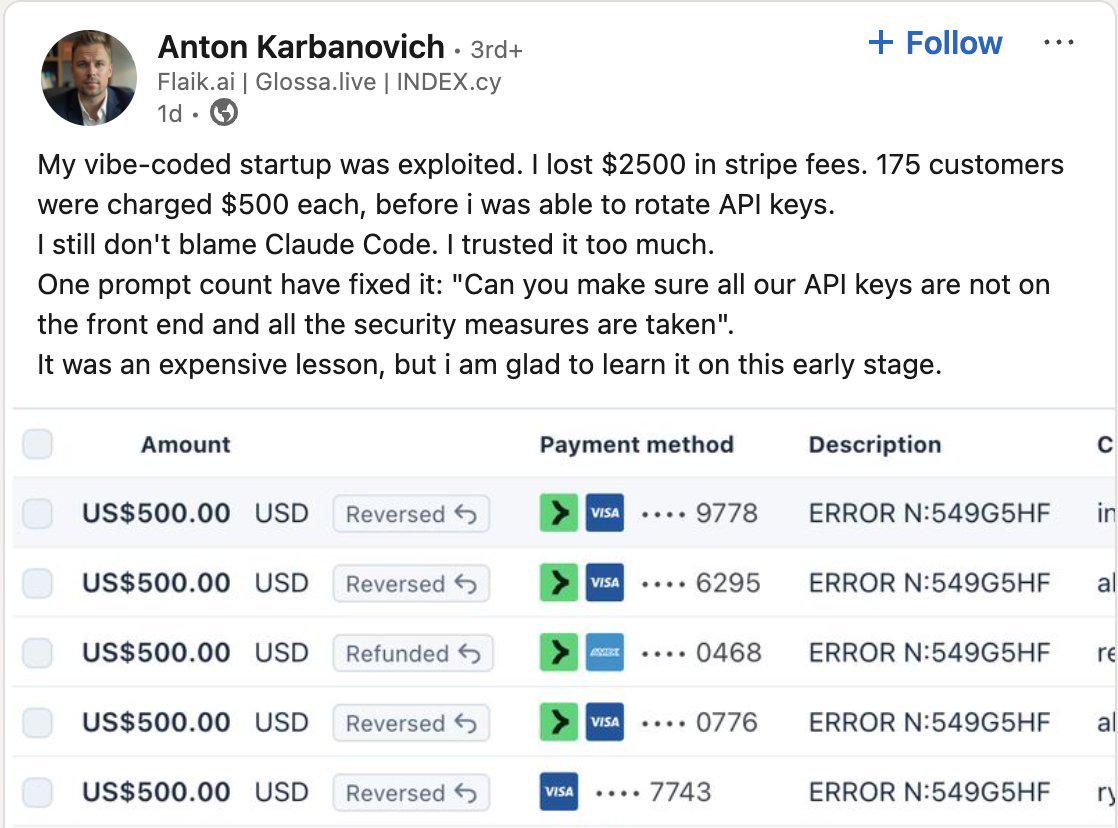
This means that publicly sharing API keys can become VERY costly for some services.
Don’t upload API Keys to publicly accessible GitHub repositories.
Abuse of API Keys may lead to being banned from the service or in the case of commercial APIs – that charge for calls – to costly surprises.
Acknowledgements
This lecture is partially based on:
- CU Boulder: Intermediate Earth Data Science Textbook, Chapter 15 - APIS, 2020